See it in action
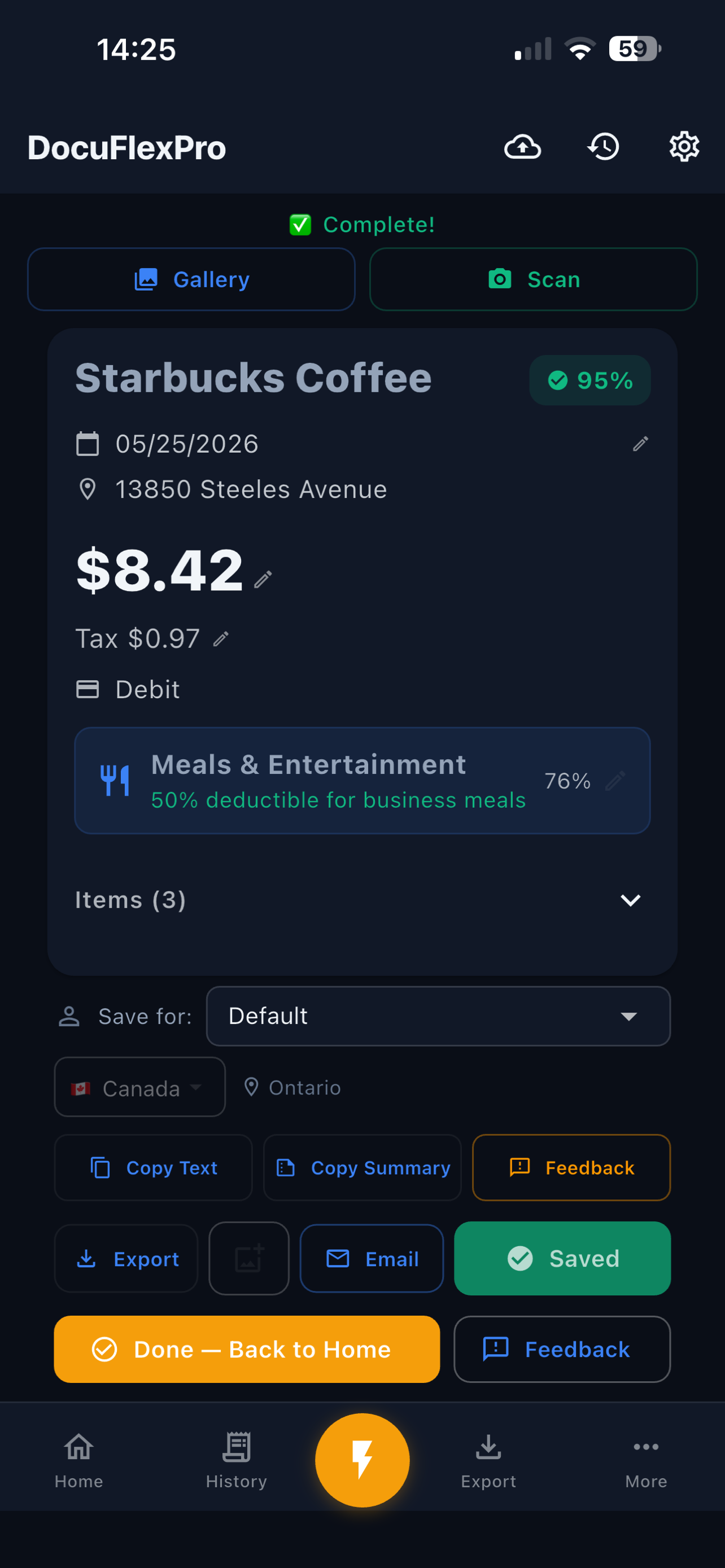
DocuFlexPro uses on-device AI to scan receipts and extract totals, tax, and vendor info — perfect for tracking purchases, finding receipts for returns, and staying organized at tax time.
100% on-device AI — your receipts never leave your phone. No cloud. No account. Private by design.
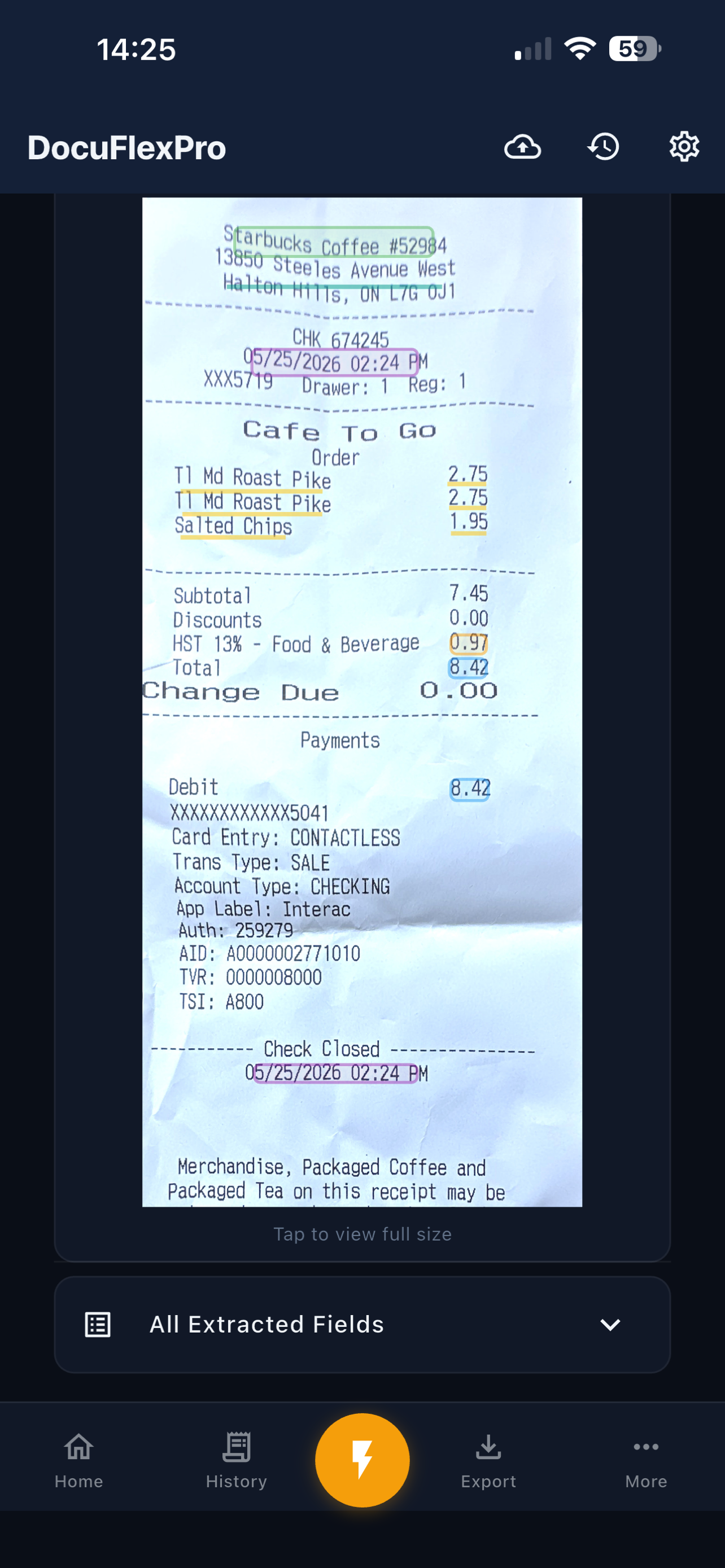
AI-powered corner detection finds receipt edges automatically. Works with crumpled, faded, and angled photos from your camera or gallery.
On-device DistilBERT model extracts vendor names, dates, totals, tax amounts, and payment methods — no internet required.
Automatically identifies and splits GST, HST, PST, and QST. Handles tax-inclusive pricing, fuel receipts, and multi-tax scenarios.
ML-powered classification into common expense categories like meals, office supplies, vehicle expenses, and more. Useful for bookkeeping and tax prep.
Reads receipts in any language — English, French, Spanish, German, and more. Works worldwide with automatic country detection (Canada, US, Mexico, EU).
All AI models run locally on your phone. Your receipts and data never leave your device. No cloud processing. No accounts required to scan.
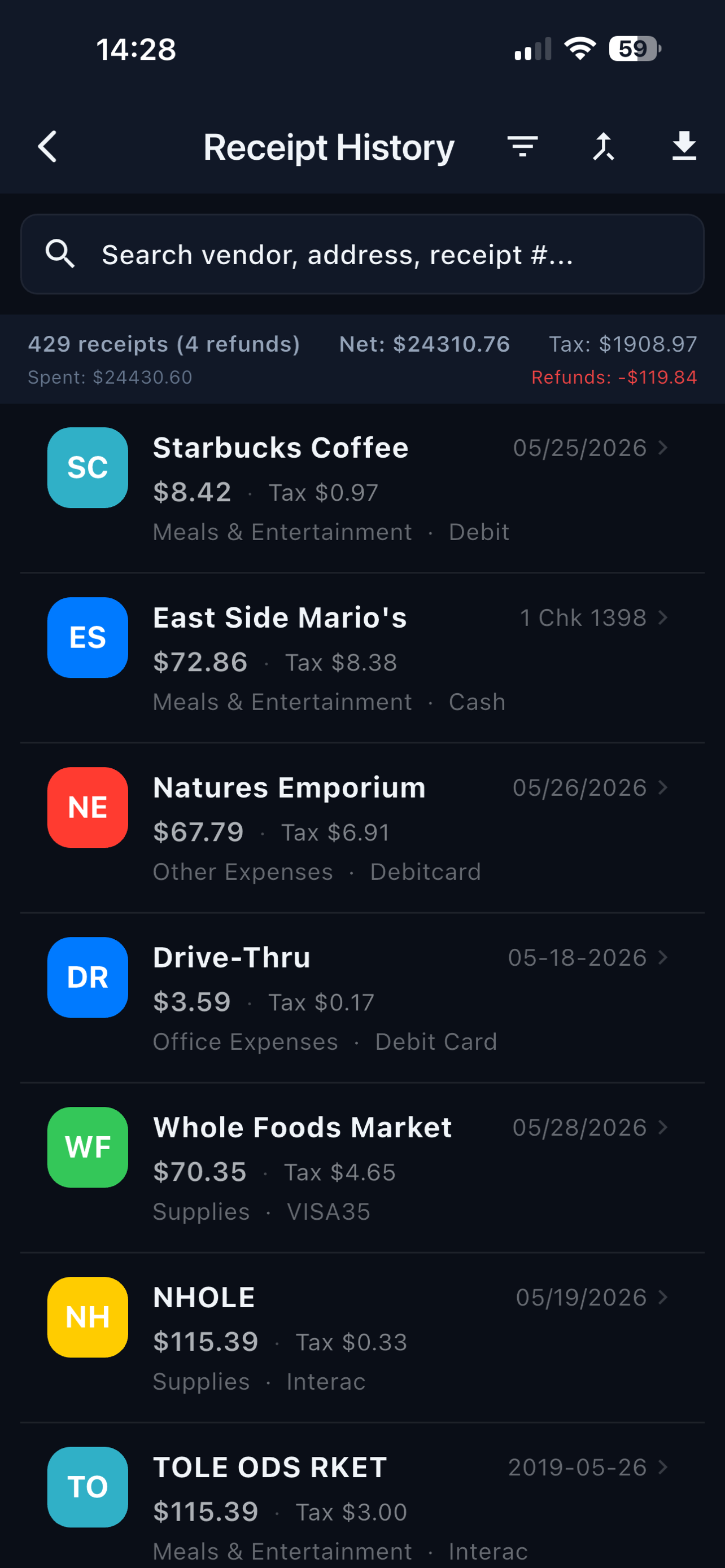
Keep a searchable history of everything you buy. Track spending by store, category, or date. Know exactly what you spent and where — all at a glance.
Lost a receipt? Look up any past purchase by item name, store, or date. Find what you need for returns, warranty claims, or price adjustments in seconds.
Use the camera for auto-scan or pick an existing photo from your gallery. Corner detection crops the receipt for you.
OCR reads the text. AI identifies the vendor, total, tax, date, and payment method. Everything happens on your phone in seconds.
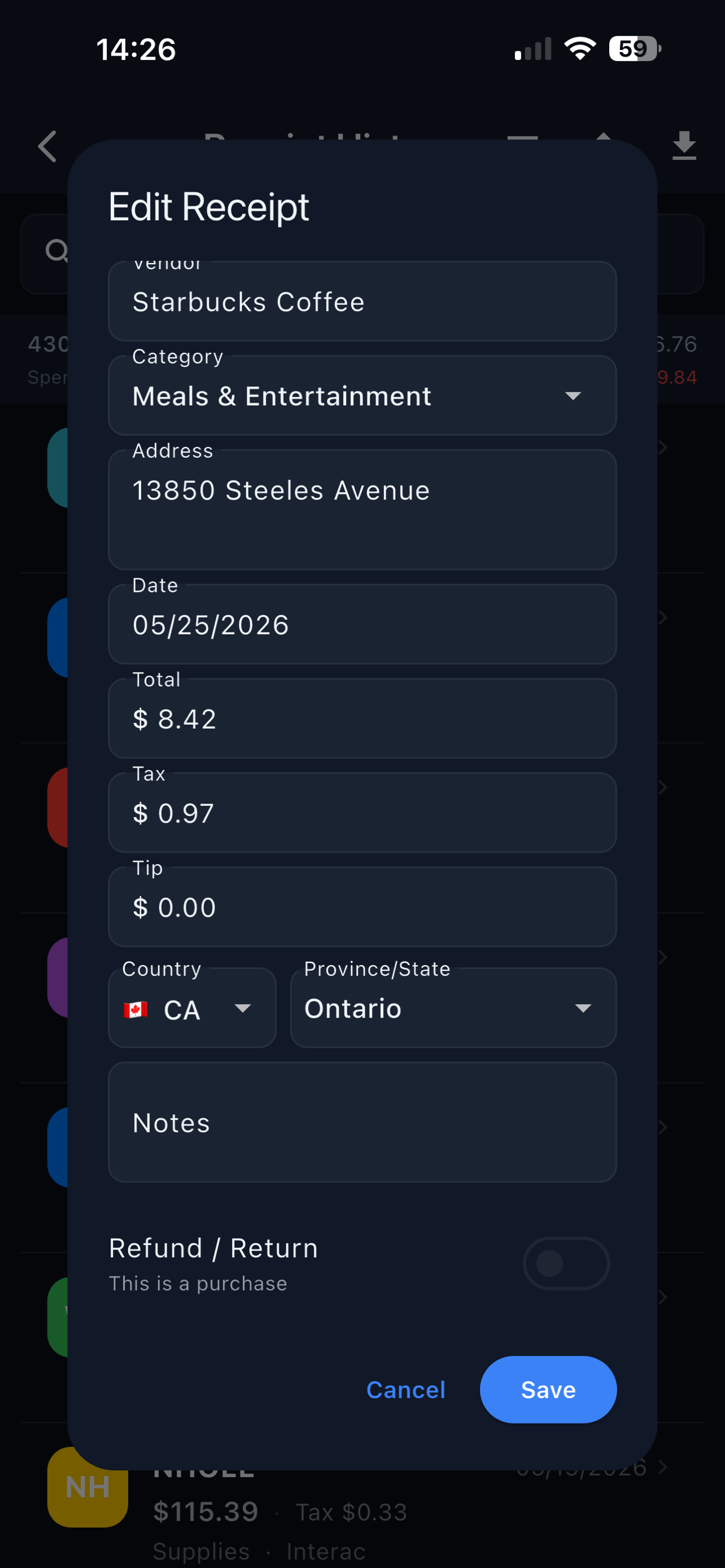
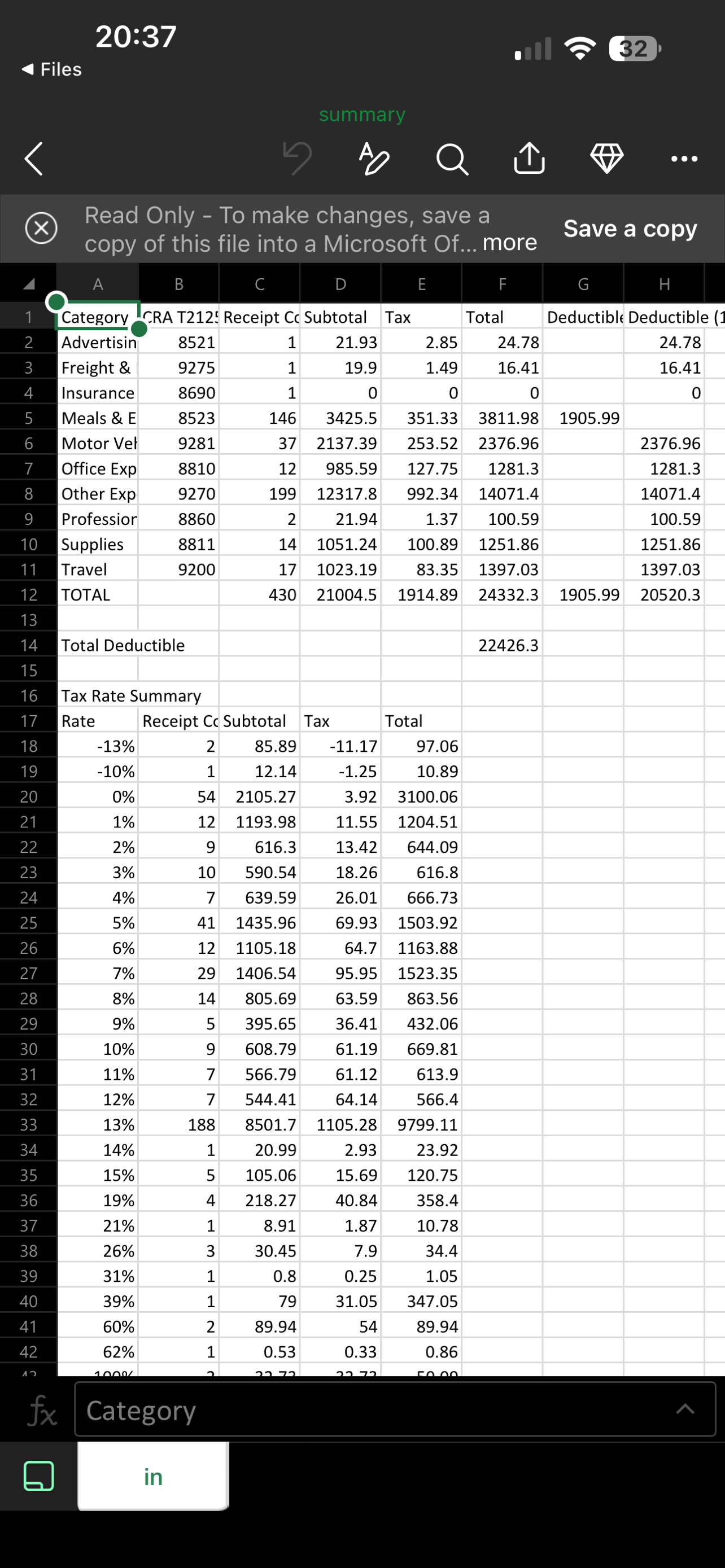
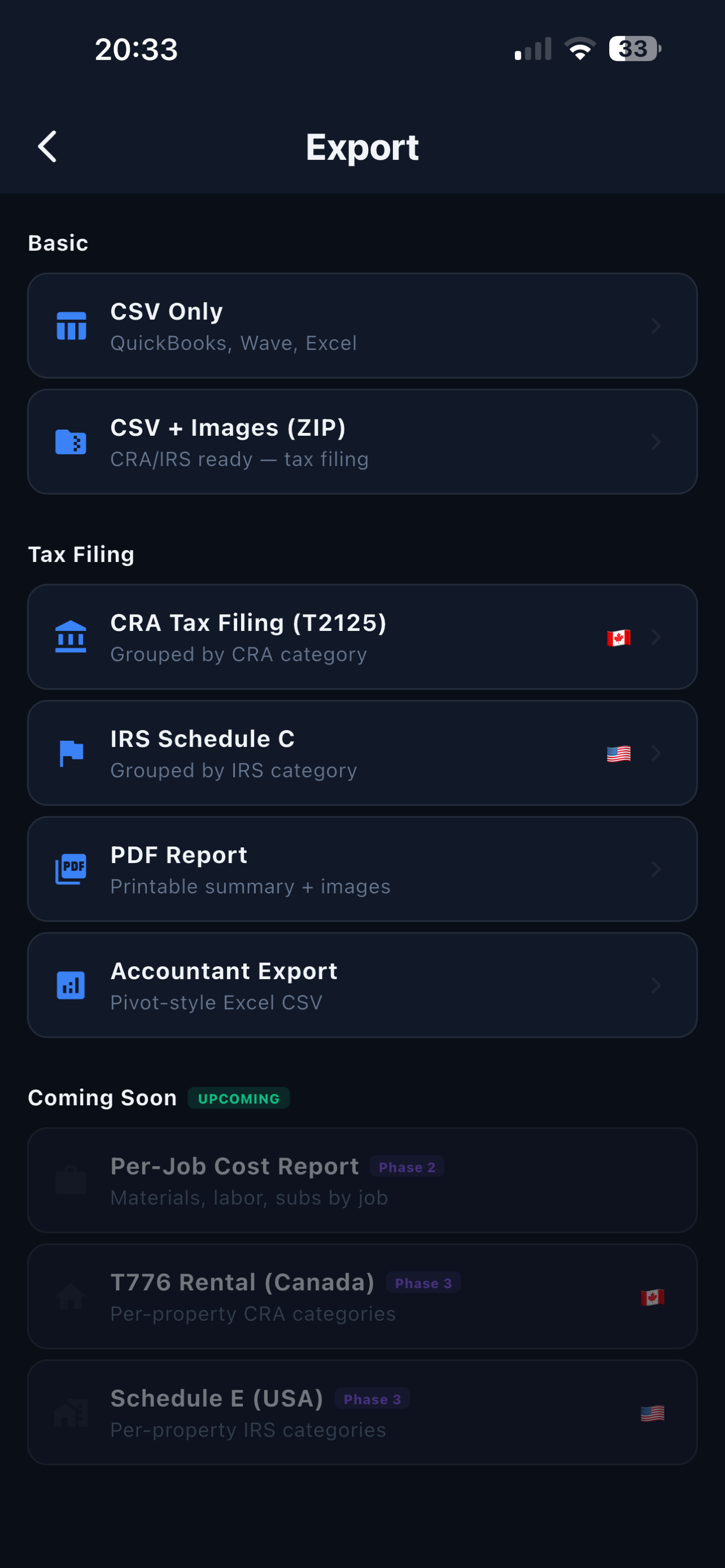
Check the extracted data, make any corrections, and export to CSV. Group by category, date, or vendor for easy bookkeeping.
DocuFlexPro classifies expenses into common categories used in bookkeeping and tax filing. Works with Canadian and US receipts. Export your data and share it with your accountant or use it for your own records.
Available on Google Play. Works on Android 7.0 and up — Samsung, Pixel, OnePlus, and more.
Get on Google PlayAvailable on the App Store. Requires iOS 15 or later.
Download on App StoreWe're actively improving. Your feedback directly shapes the product.
✉️ Send Feedback